How to get Tango-RT on Android
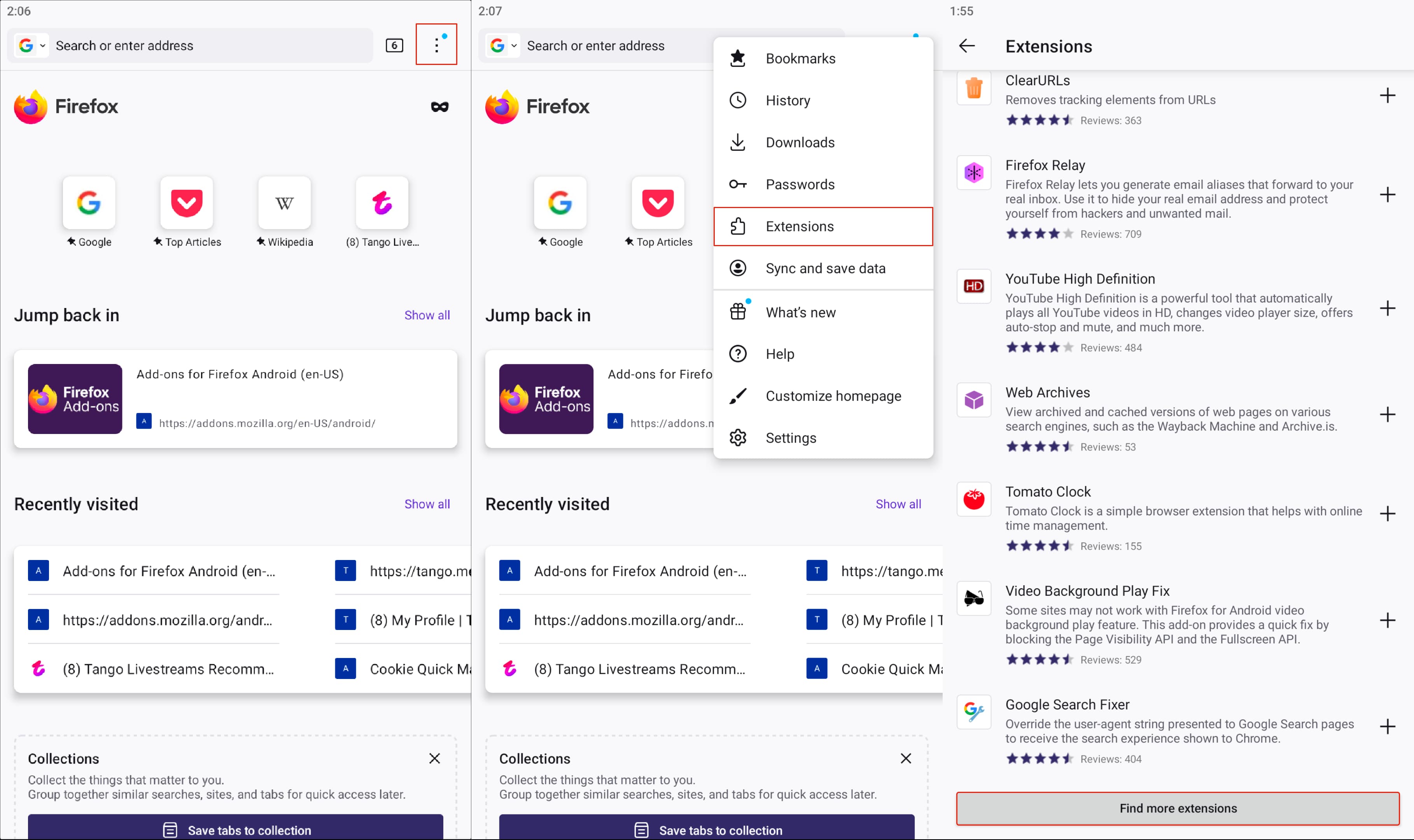
Install Mozilla Firefox from Google Play. Open it. Go to More tab -> Extensions -> Scroll down -> Click Find more extensions.
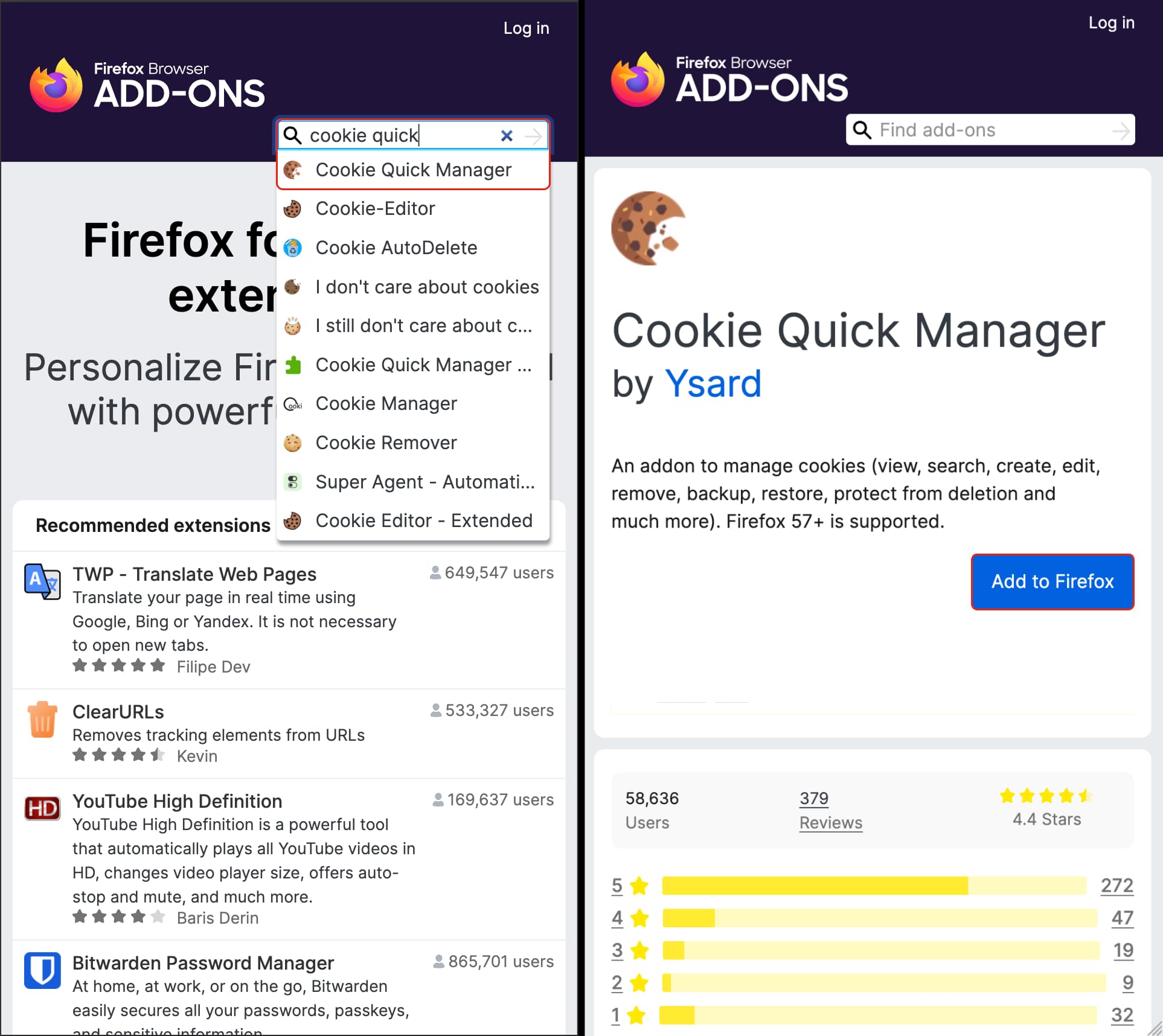
Search «cookie quick». Tap Cookie Quick Manager → Add to Firefox.
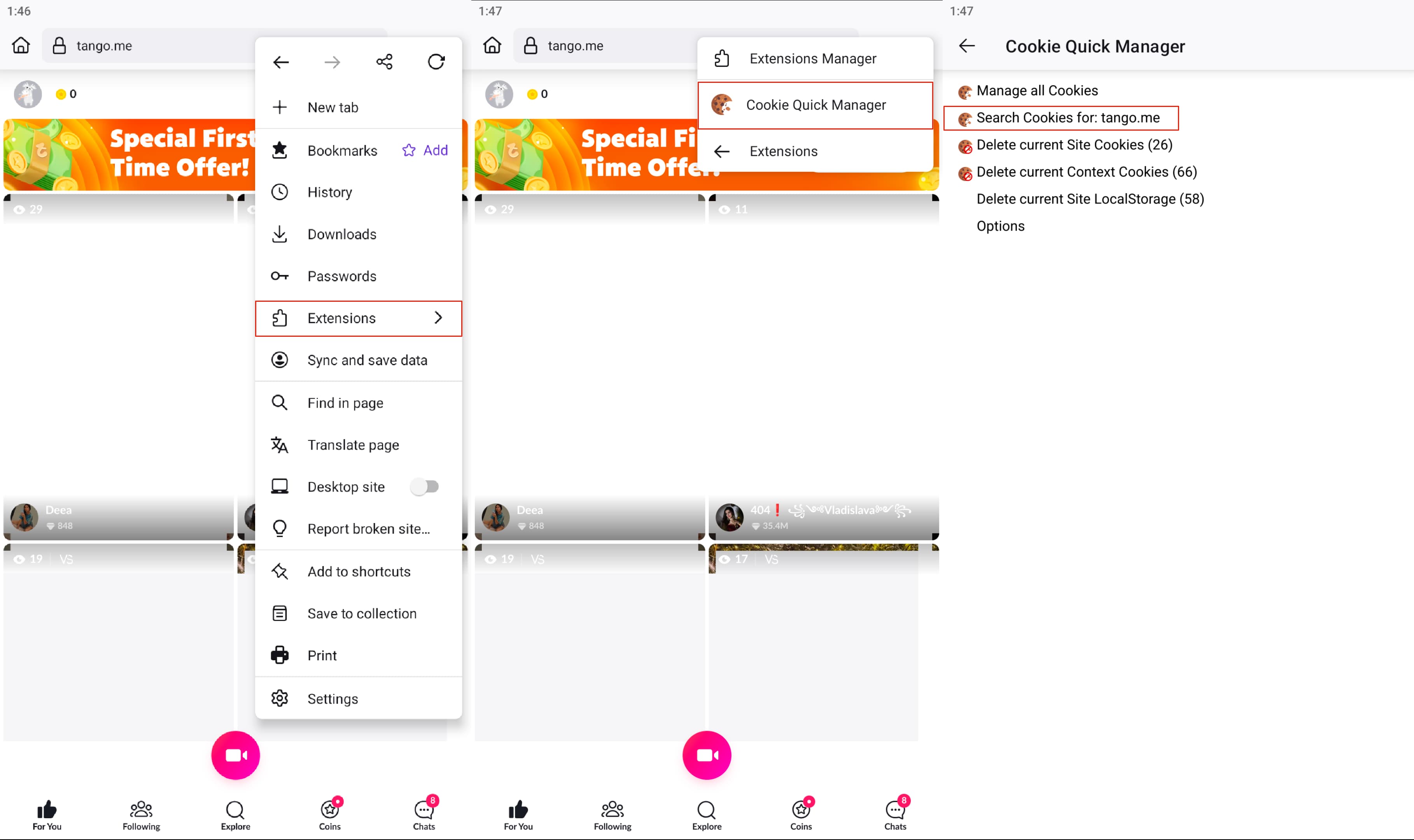
Navigate to tango.me and log in to your account. Click More tab at the top -> Extensions -> Cookie Quick Manager -> Search Cookies for tango.me.
Click gateway.tango.me -> Click on Cookie Tango-RT, scroll down and Copy Tango-RT Value.
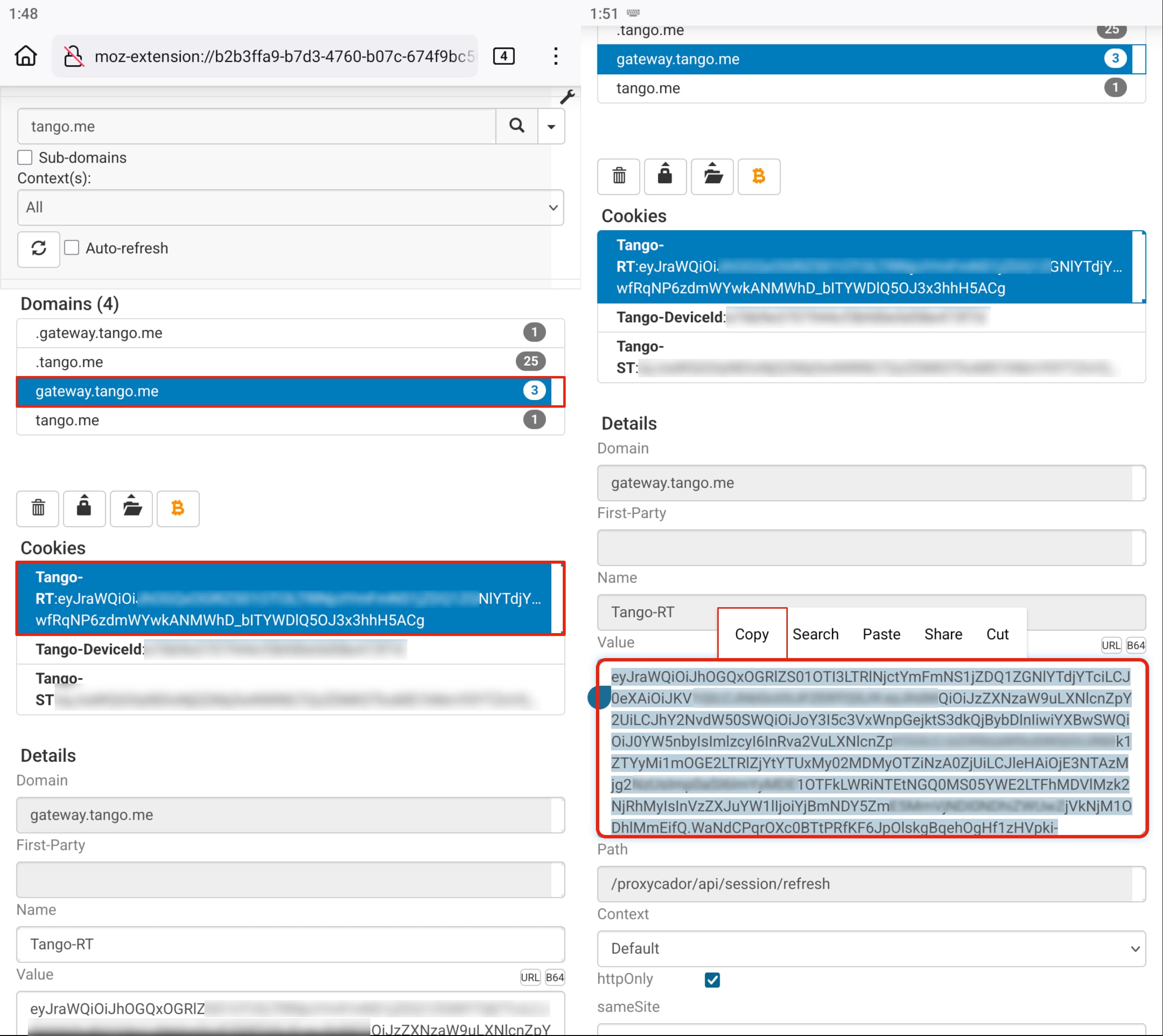
Tango-RT received! Now you can record premium, group and 1:1 broadcasts. Enter the received token in the bot @TngRecordsBot.