How to get Tango-RT on iPhone
Configuring Proxyman to intercept Tango-RT
Download Proxyman from AppStore. Open it and click Start Capturing HTTP(s) Traffic.
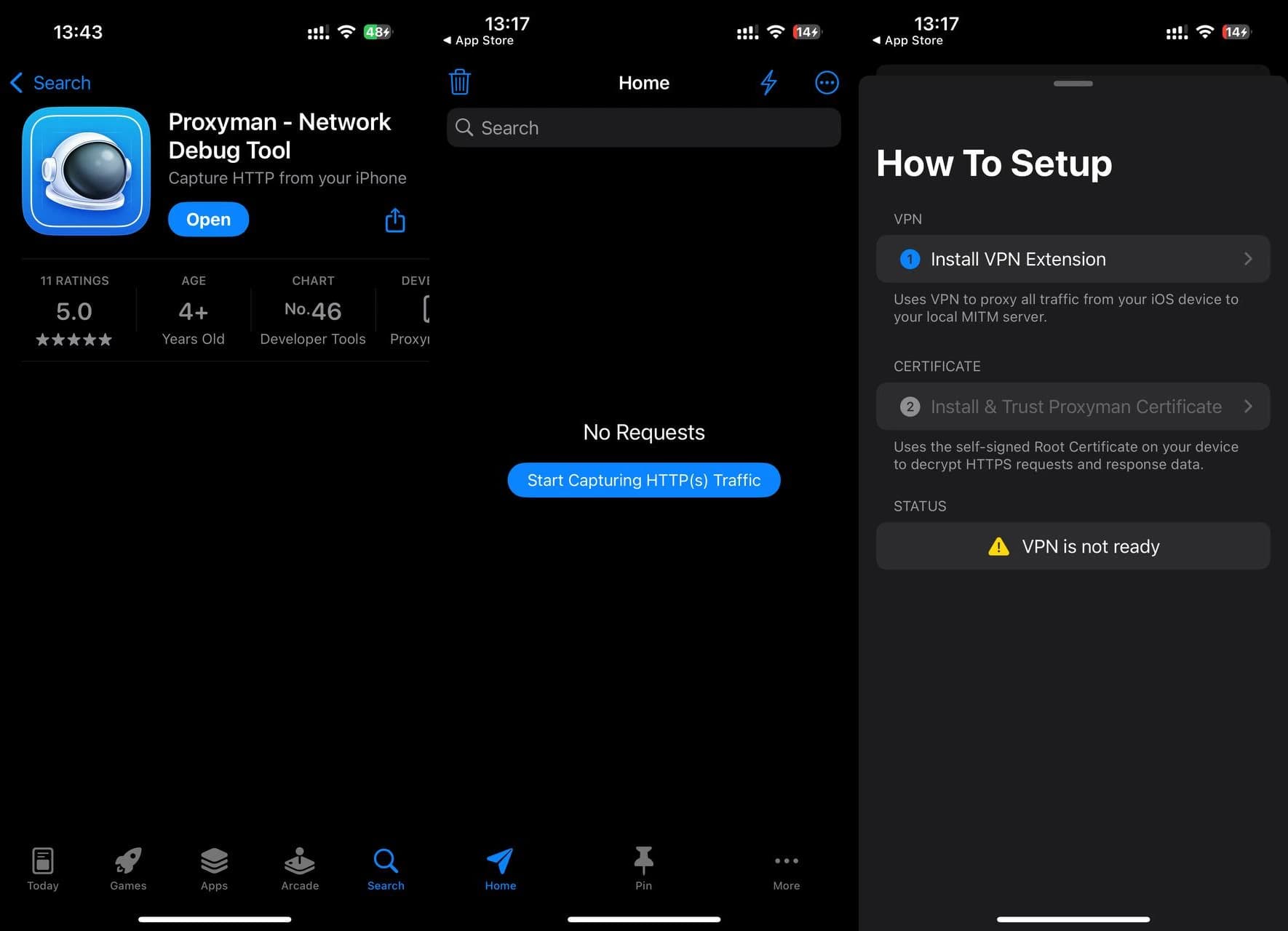
Click Install VPN Extension → Start the VPN → Allow.
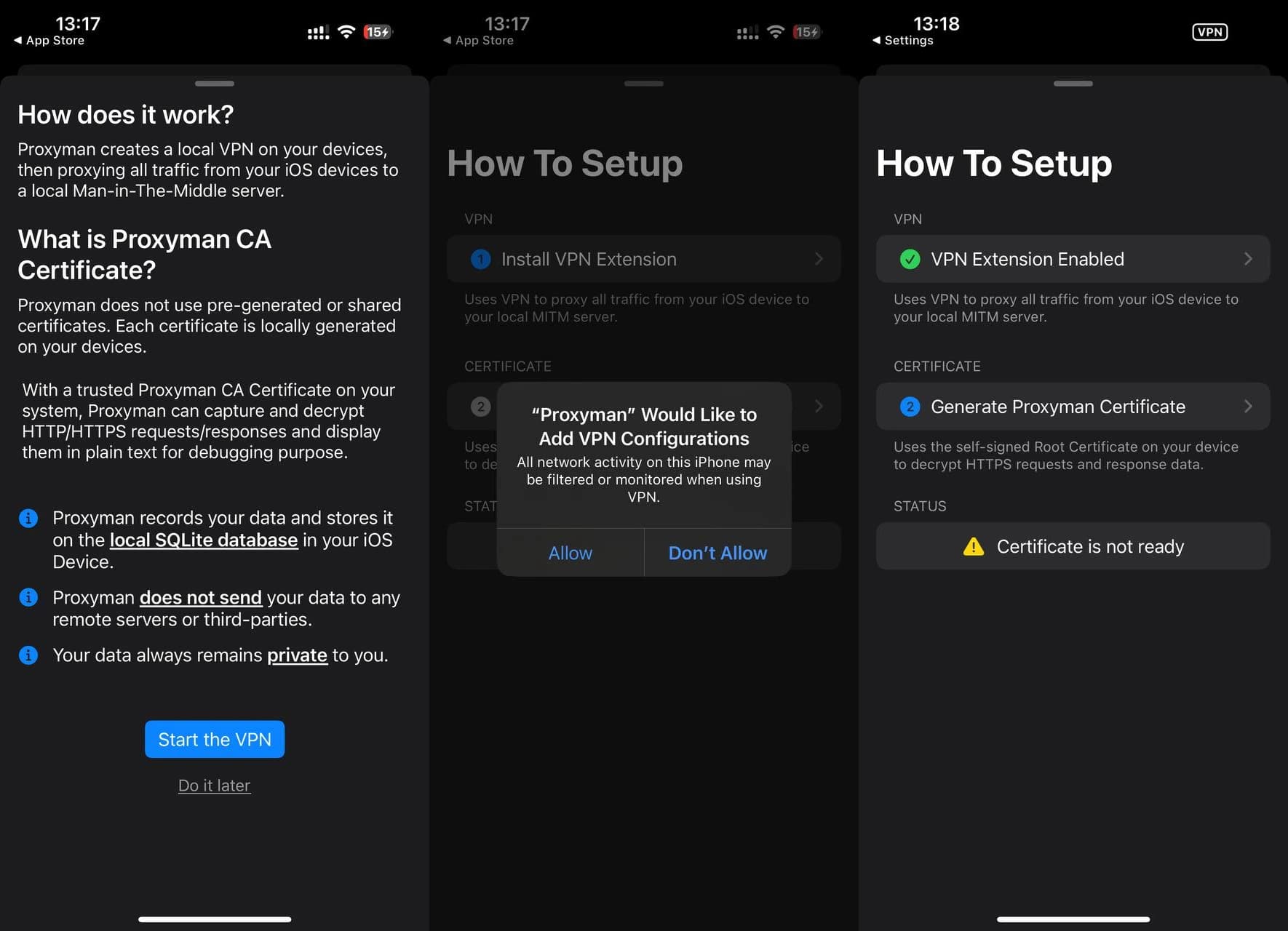
Click Generate Proxyman Certificate and follow instructions.
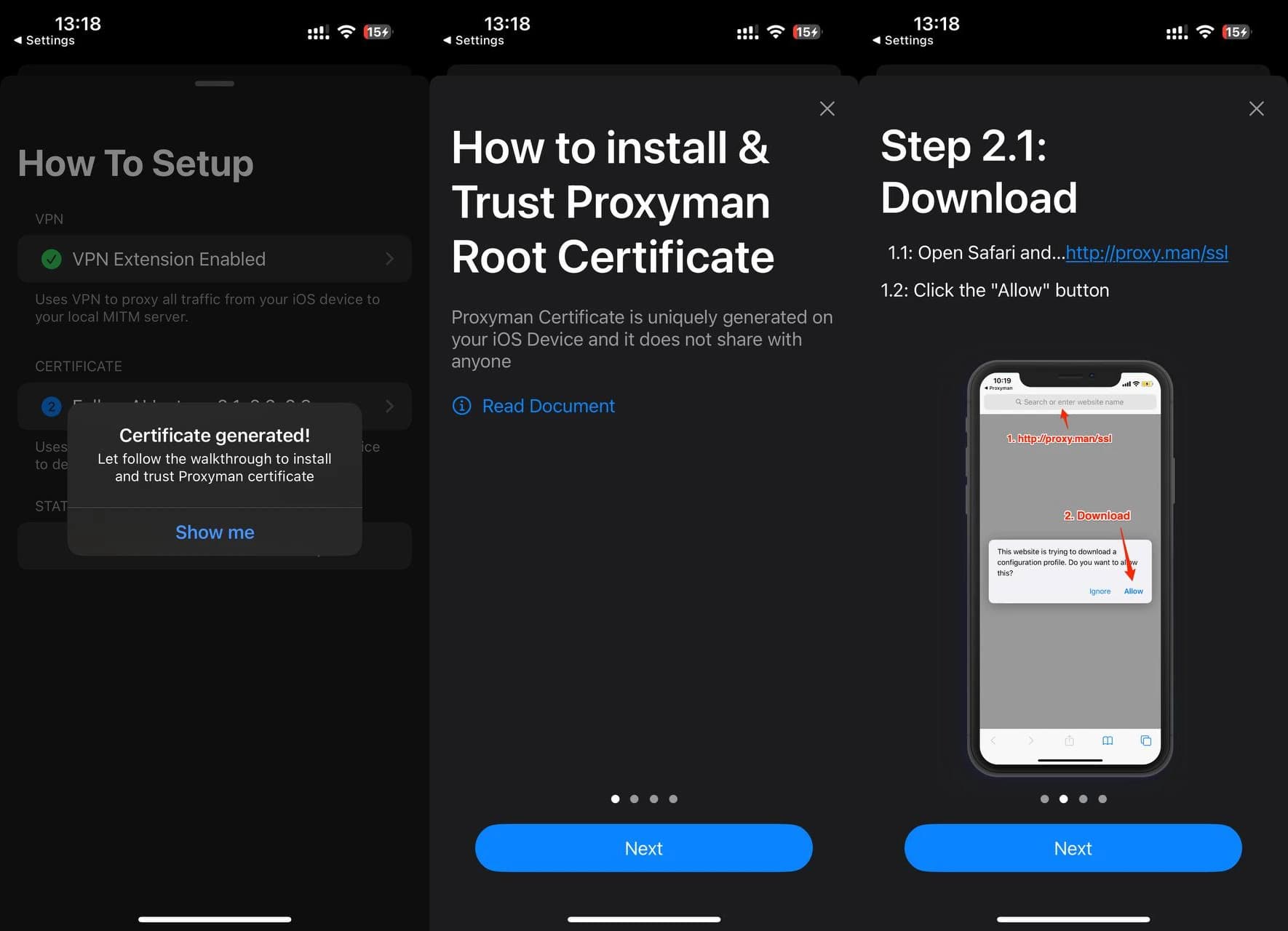
Open http://proxy.man/ssl in Safari and click Allow button.
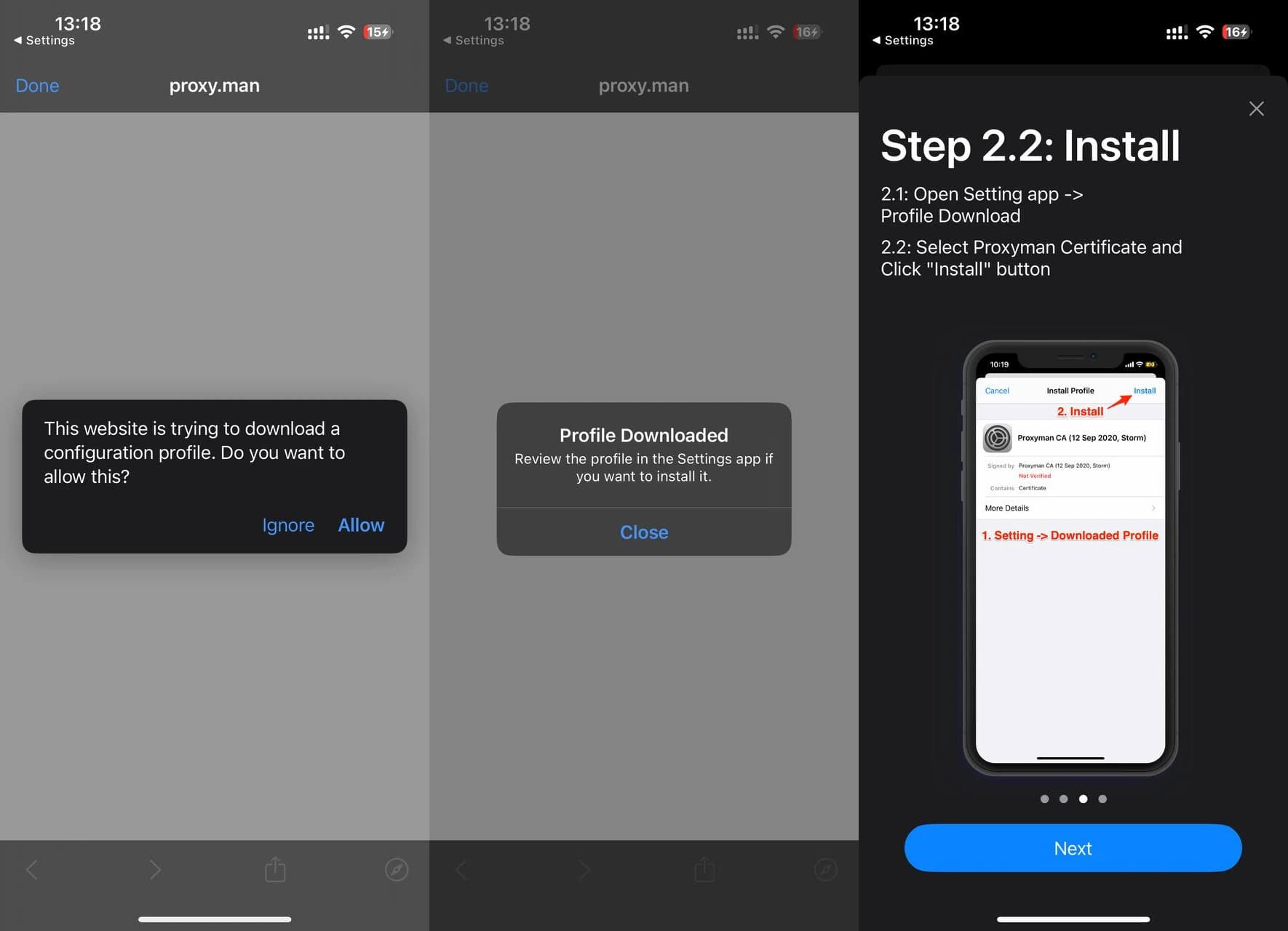
Open Settings → Profile Download, select Proxyman Certificate and click Install.
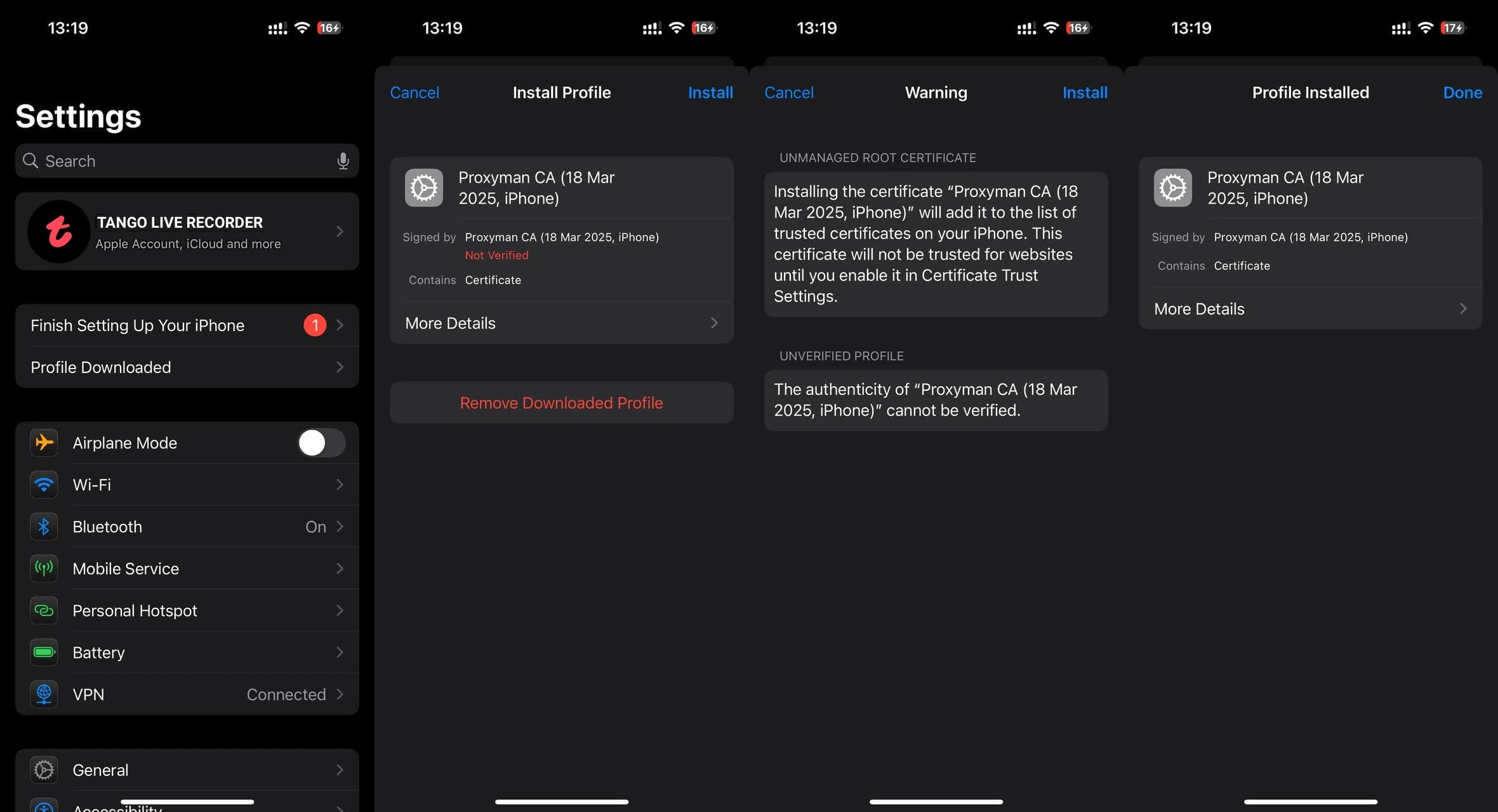
Go to Settings → General → About → Certificate Trust Settings and turn on Proxyman CA.
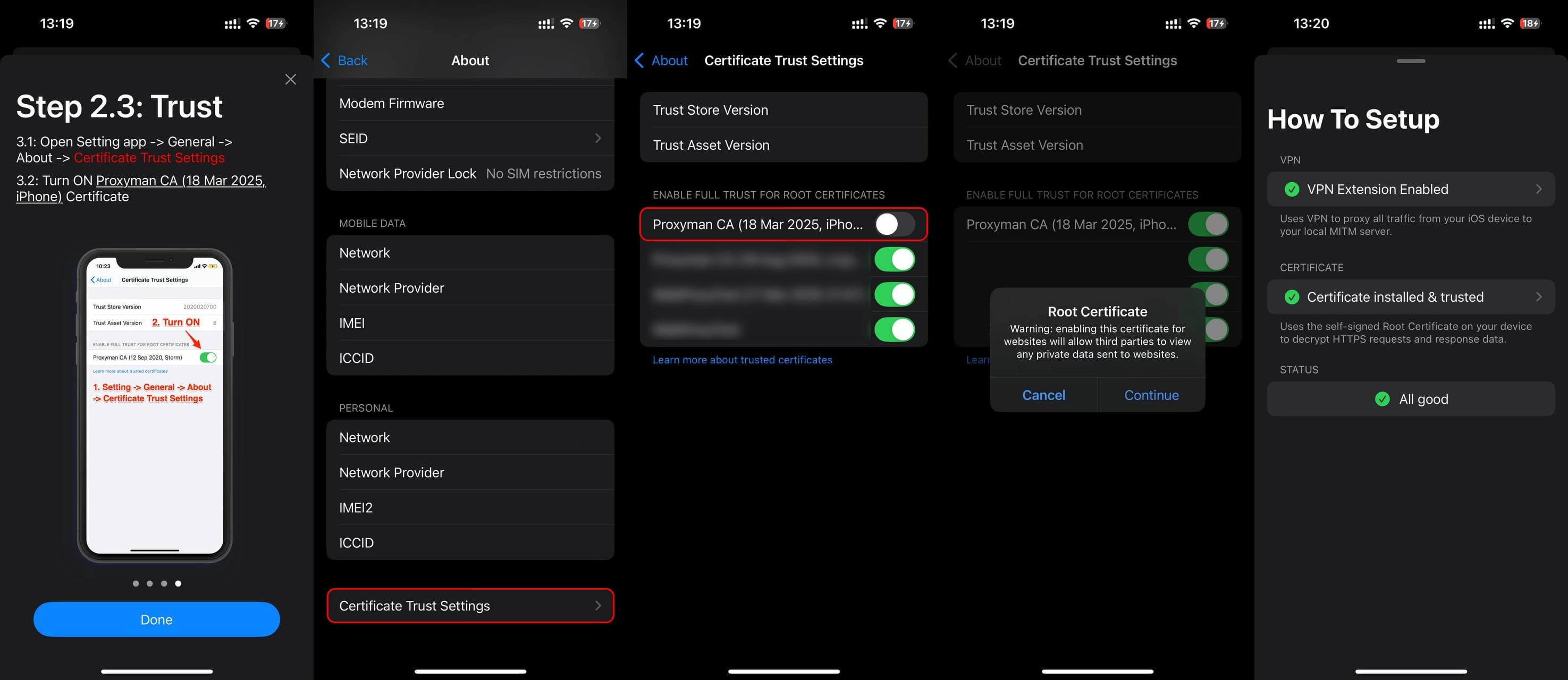
Great, we set up Proxyman, it just needed to be done once. The next steps are very simple.
Tango-RT intercept
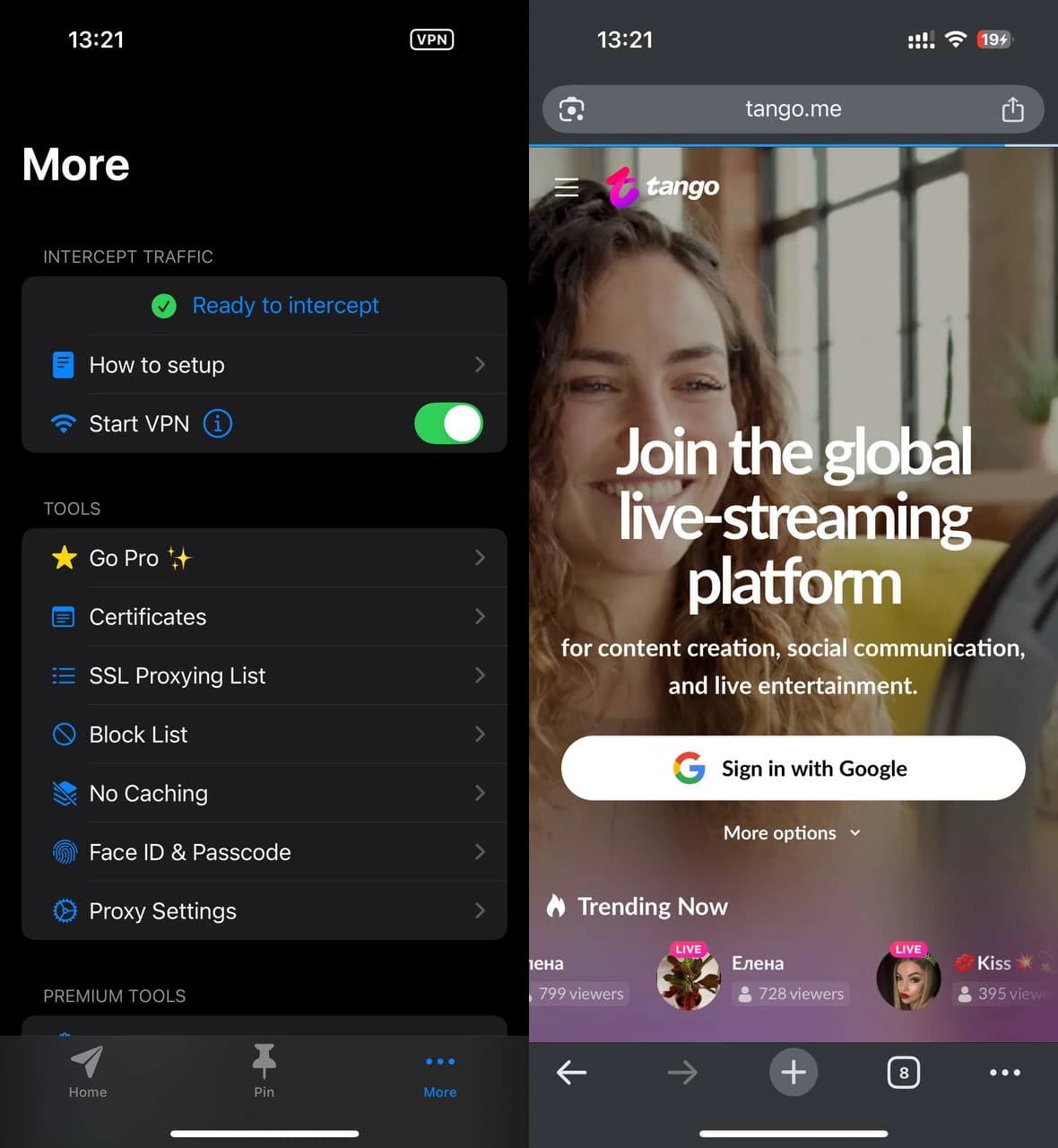
Make sure that Start VPN in Proxyman is enabled. Go to tango.me in your browser (you must not be logged in).
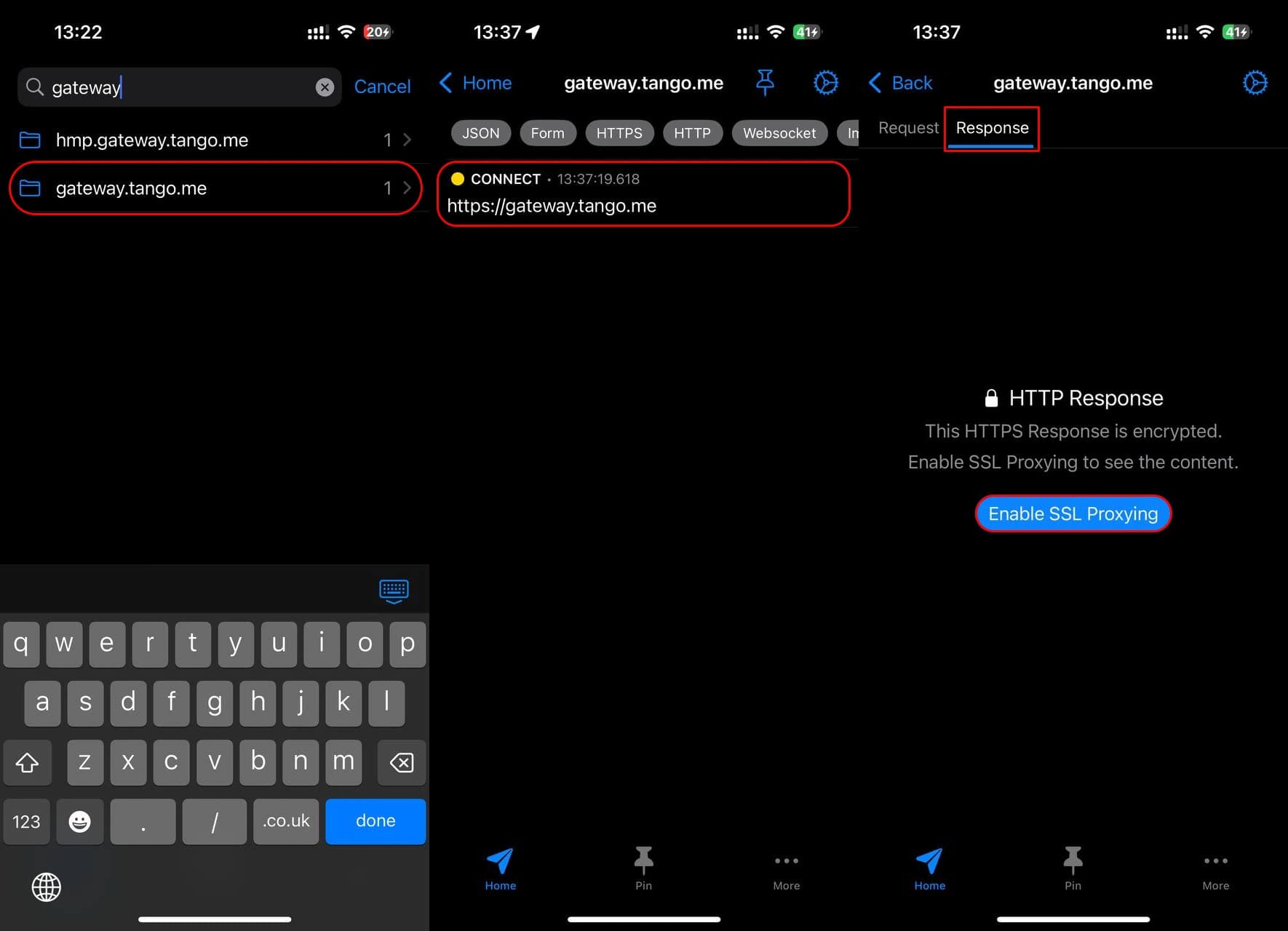
Go back to Proxyman, type gateway in the search on the Home tab. Click on the prompt gateway.tango.me → gateway.tango.me → Response → Enable SSL Proxying.
Go to tango.me and log in. Go back to Proxyman, on the Home tab type «tango-rt» in the search, click on the first prompt. Go to the Response tab at the top, find Tango-RT in the list, hold the value and click Copy Value.
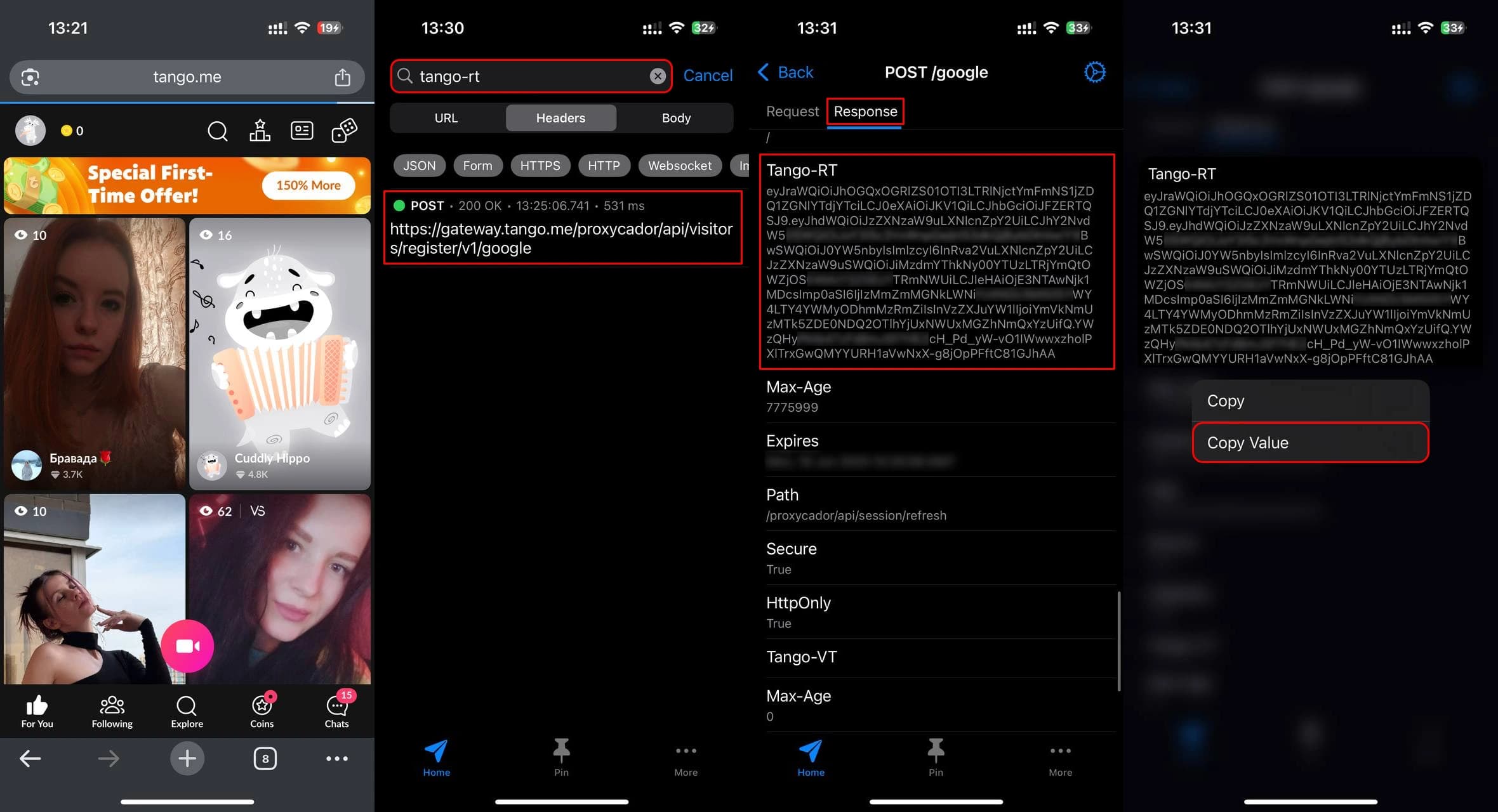
Tango-RT received! Now you can record premium, group and 1:1 broadcasts. Enter the received token in the bot @TngRecordsBot.
You can now disable VPN on the More tab in Proxyman.