How to get Tango-RT on PC/Mac
Go to tango.me and log in.
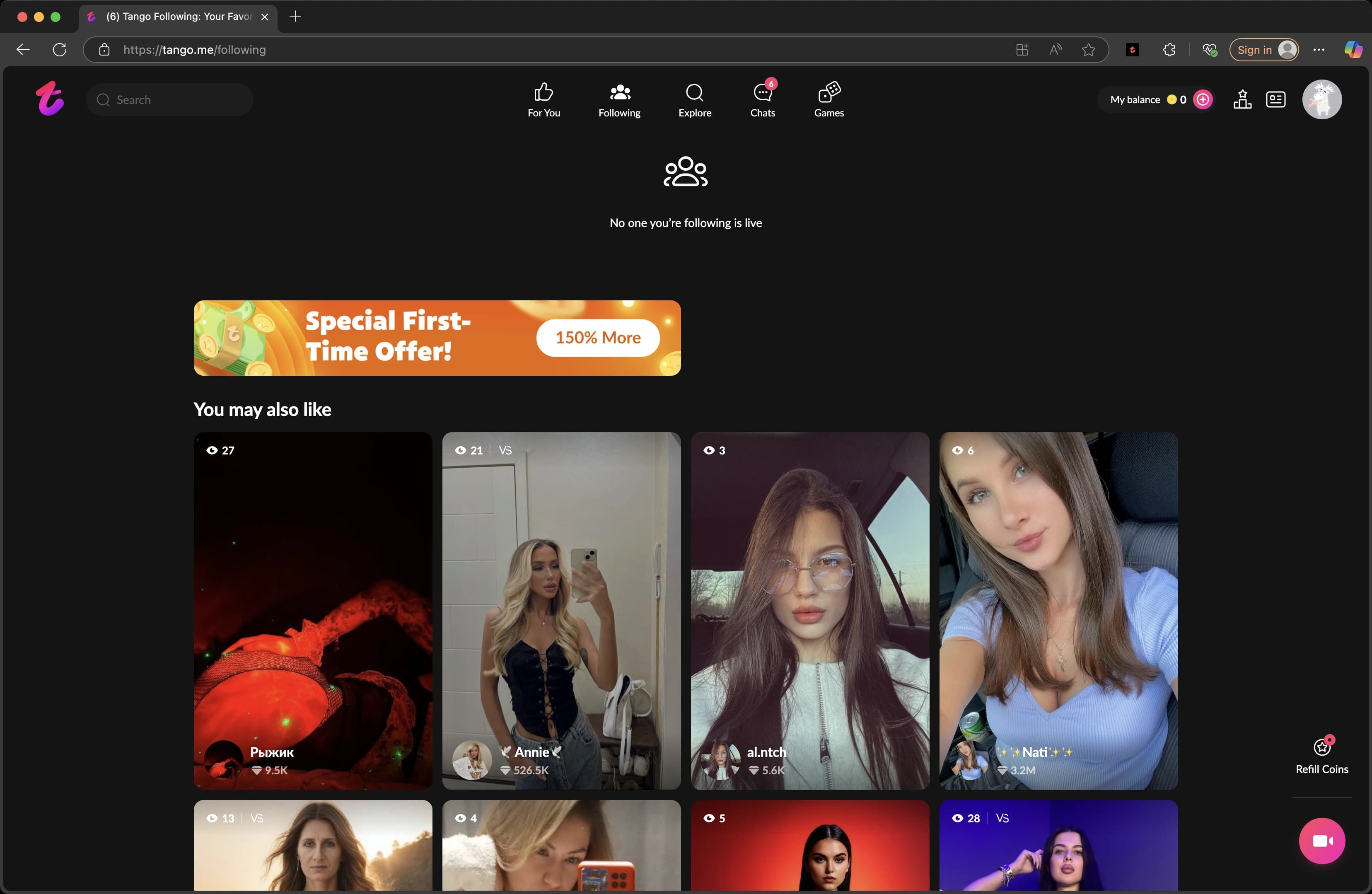
Press F12 (or Ctrl+Shift+I on Windows / Cmd+Option+I on Mac) to open Developer Tools.
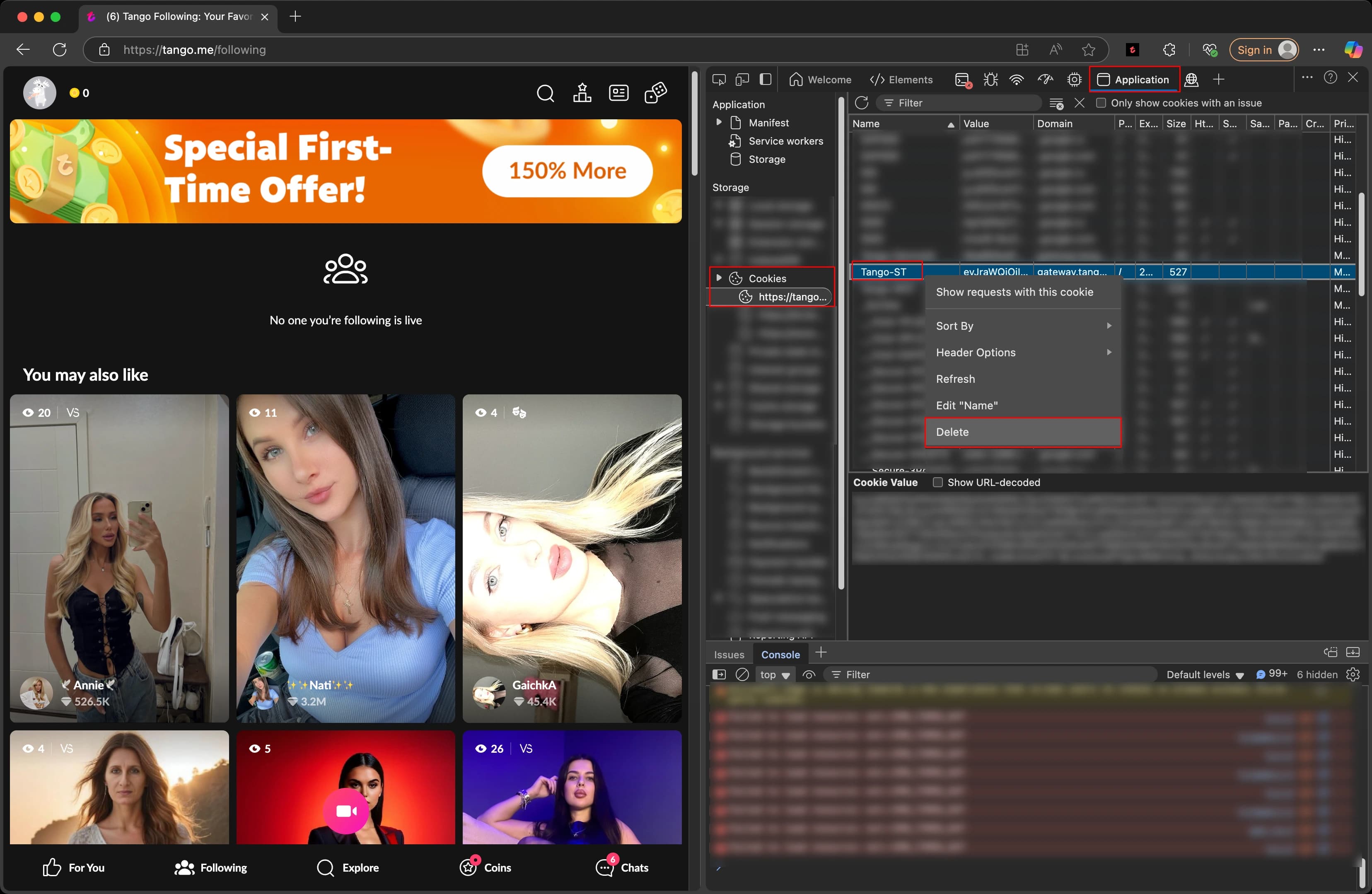
Go to the Application tab → Cookies → https://tango.me. Find the Tango-RT cookie and copy its value.
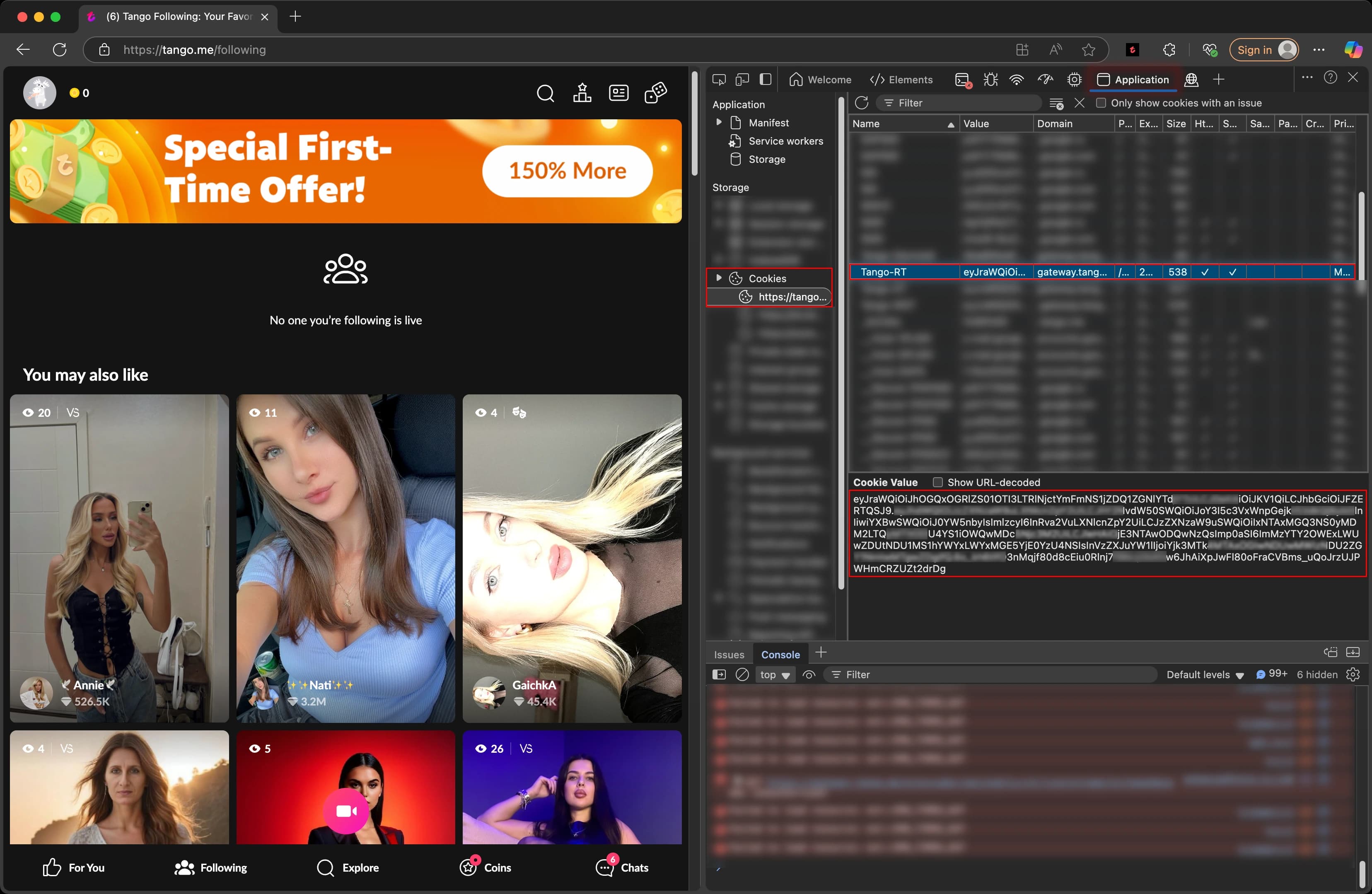
Tango-RT received! Now you can record premium, group and 1:1 broadcasts. Enter the received token in the bot @TngRecordsBot.
⚠️ If Tango-RT is not in the list
Delete the Tango-ST cookie. Wait a few seconds for the site to refresh the cookies. Look for Tango-RT again.