Obtaining SuperLive Cookie on Android (Firefox)
Recording a SuperLive broadcast needs a session credential from your own SuperLive account. On a phone the catch used to be that mobile browsers cannot run extensions - but Firefox for Android can. The StreamKeepr Helper add-on reads the credential out of your logged-in session and copies it as a single JSON bundle: an Auth Token plus the Device ID, Client Params, RTC ID and Agora App ID that go with it. The mini app calls that bundle the SuperLive Cookie. This guide does the whole thing from an Android phone, no PC required.
Before You Start
Three things. Firefox for Android - the add-on installs only in Firefox, since Chrome for Android does not support extensions. A SuperLive account you can log in to on any of the nine supported domains. And a subscription plan that includes SuperLive recording, since SuperLive is not part of the free tier. If you are not sure about the plan, check Tango Live Recorder Plans, Tokens & Recording Slots first - the cookie is no use without one.
Step by Step: Copying Your SuperLive Cookie
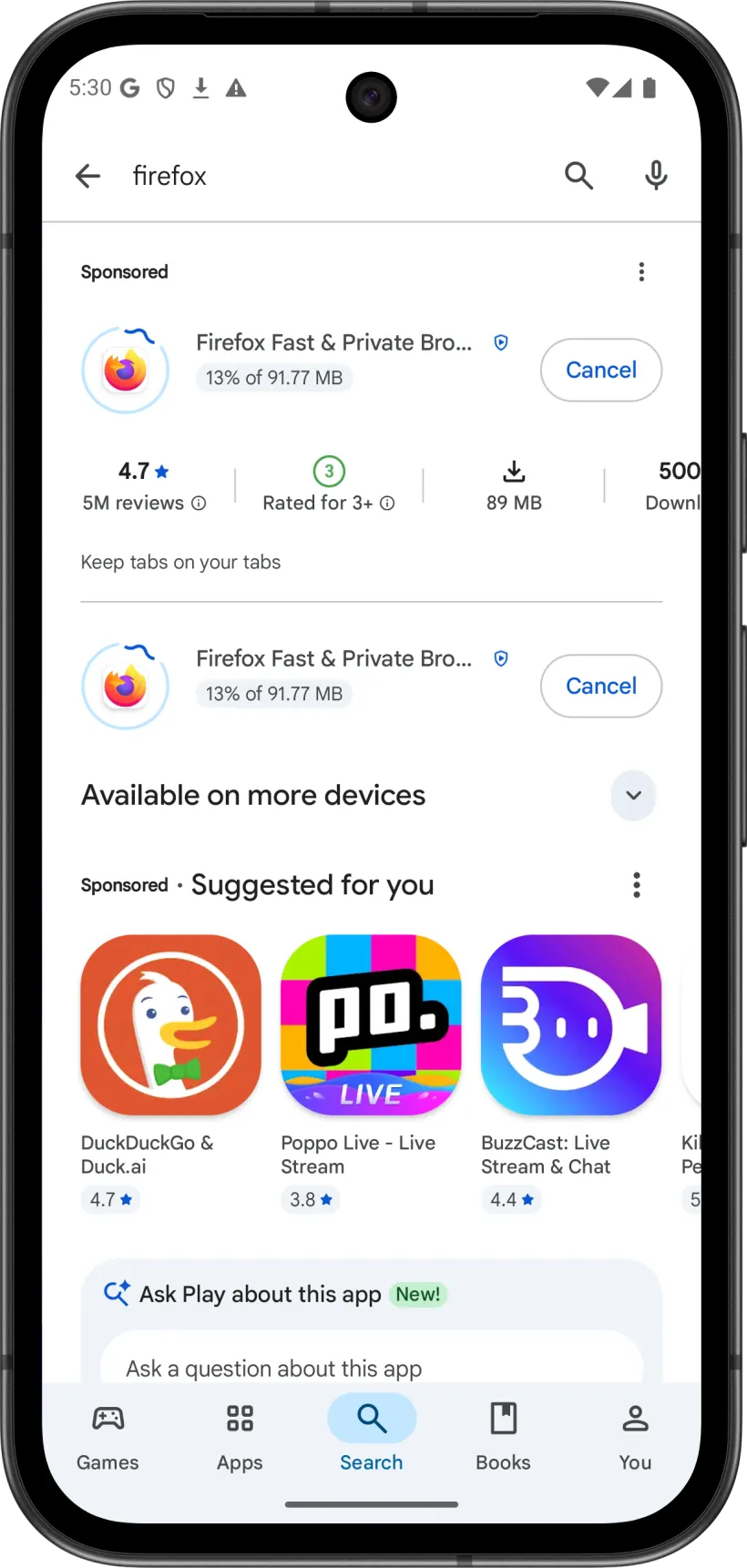
Install Mozilla Firefox from Google Play. This method needs Firefox specifically - Chrome for Android cannot install add-ons.
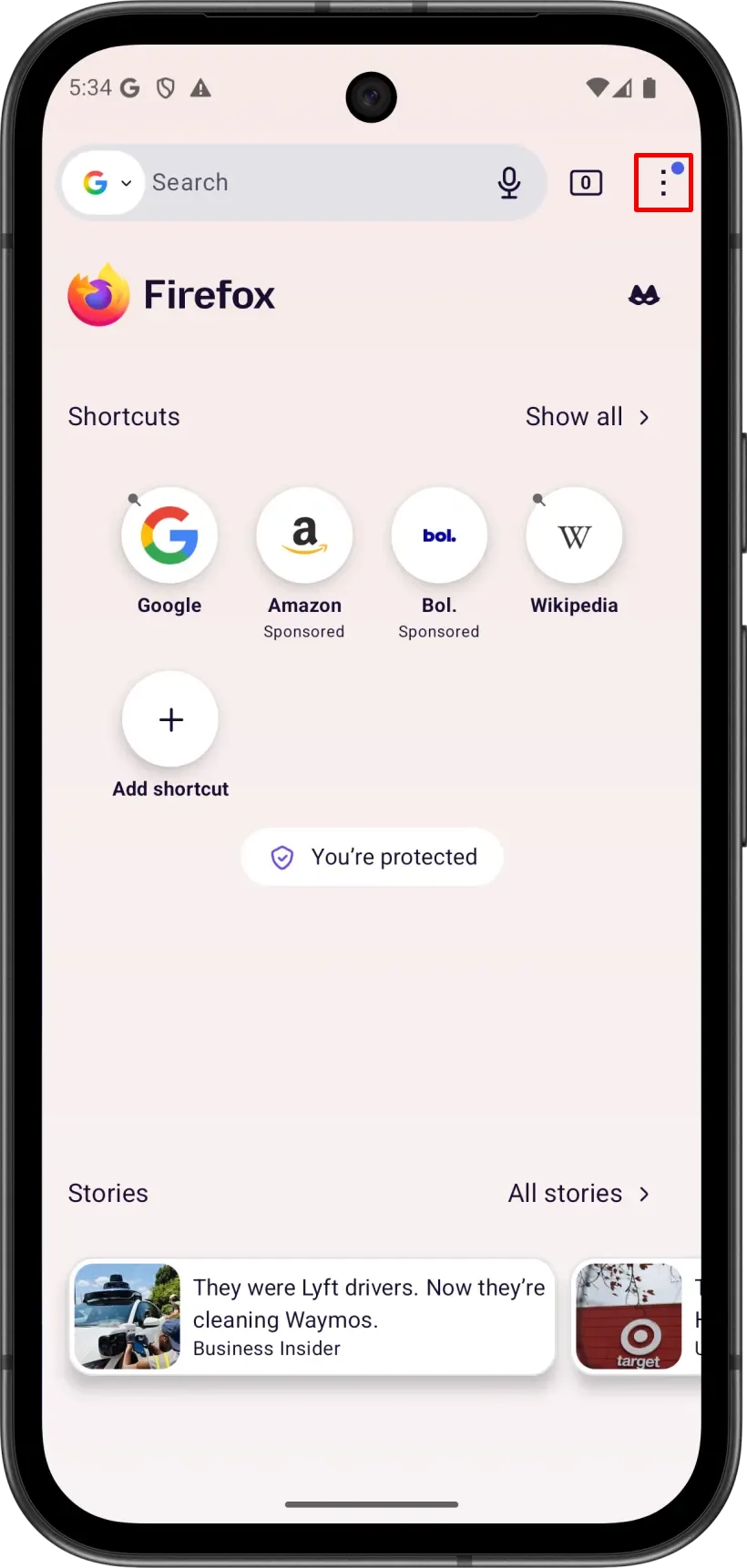
Open Firefox. On the home screen, tap the ⋮ menu in the top-right corner.
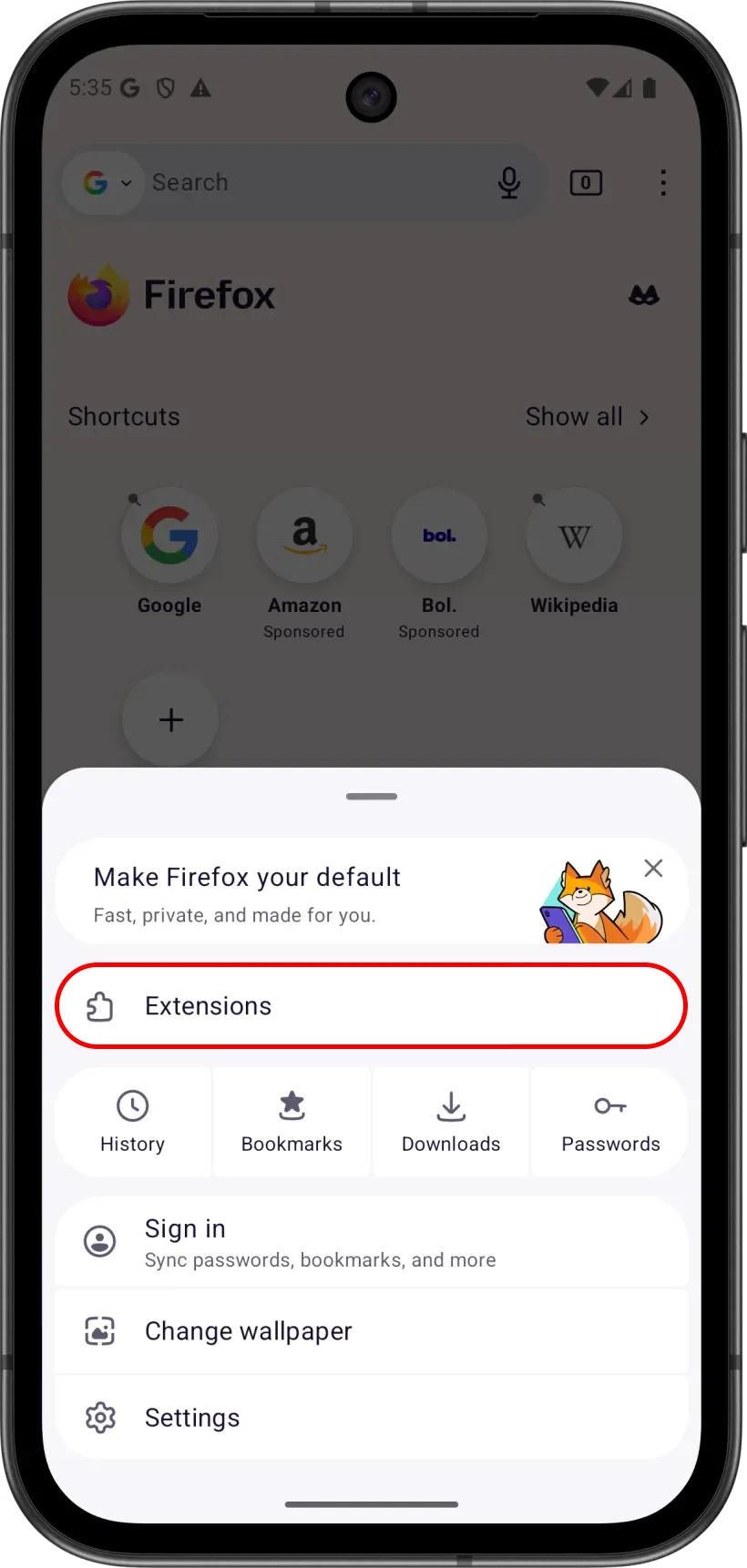
In the menu, tap Extensions.
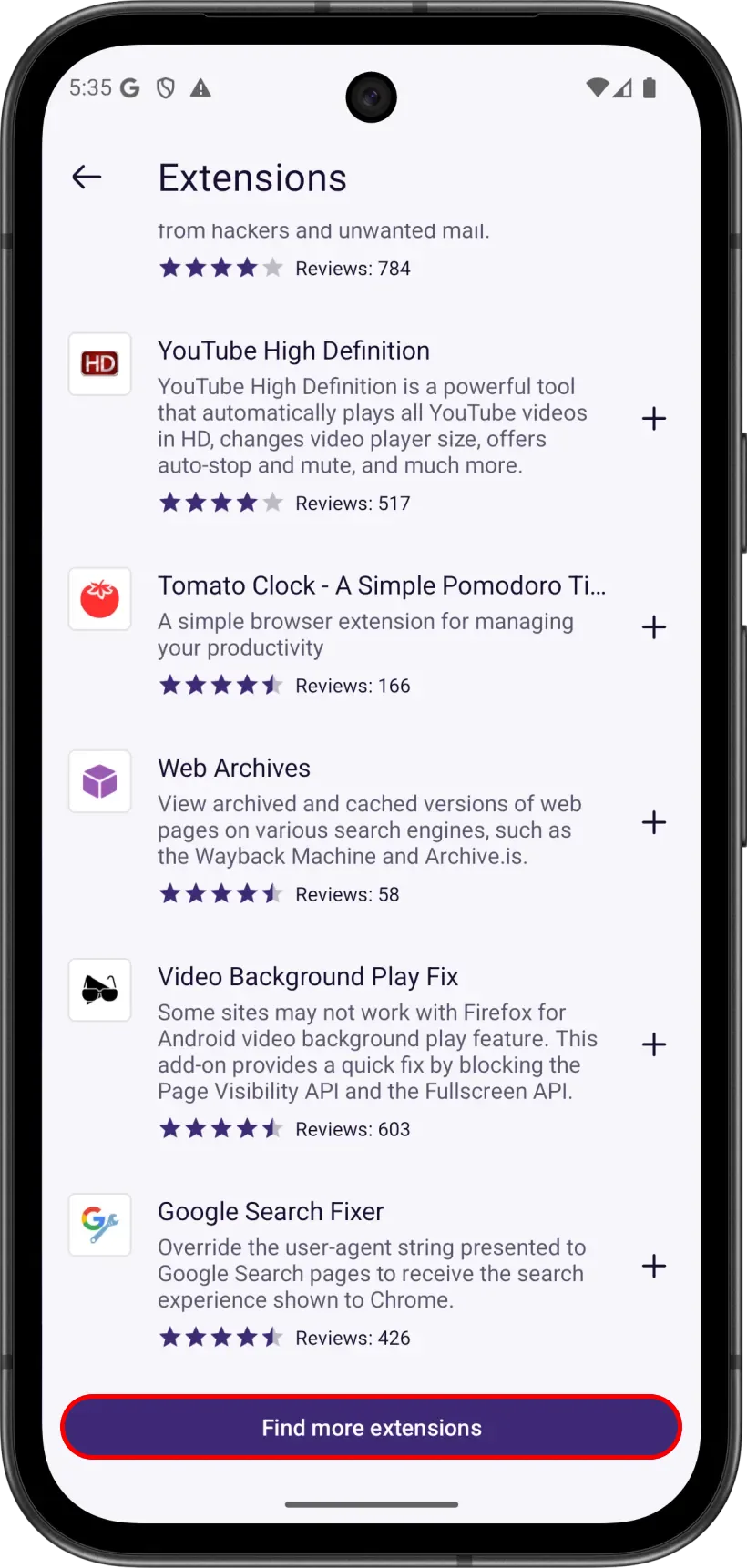
On the Extensions screen, scroll to the bottom and tap Find more extensions.
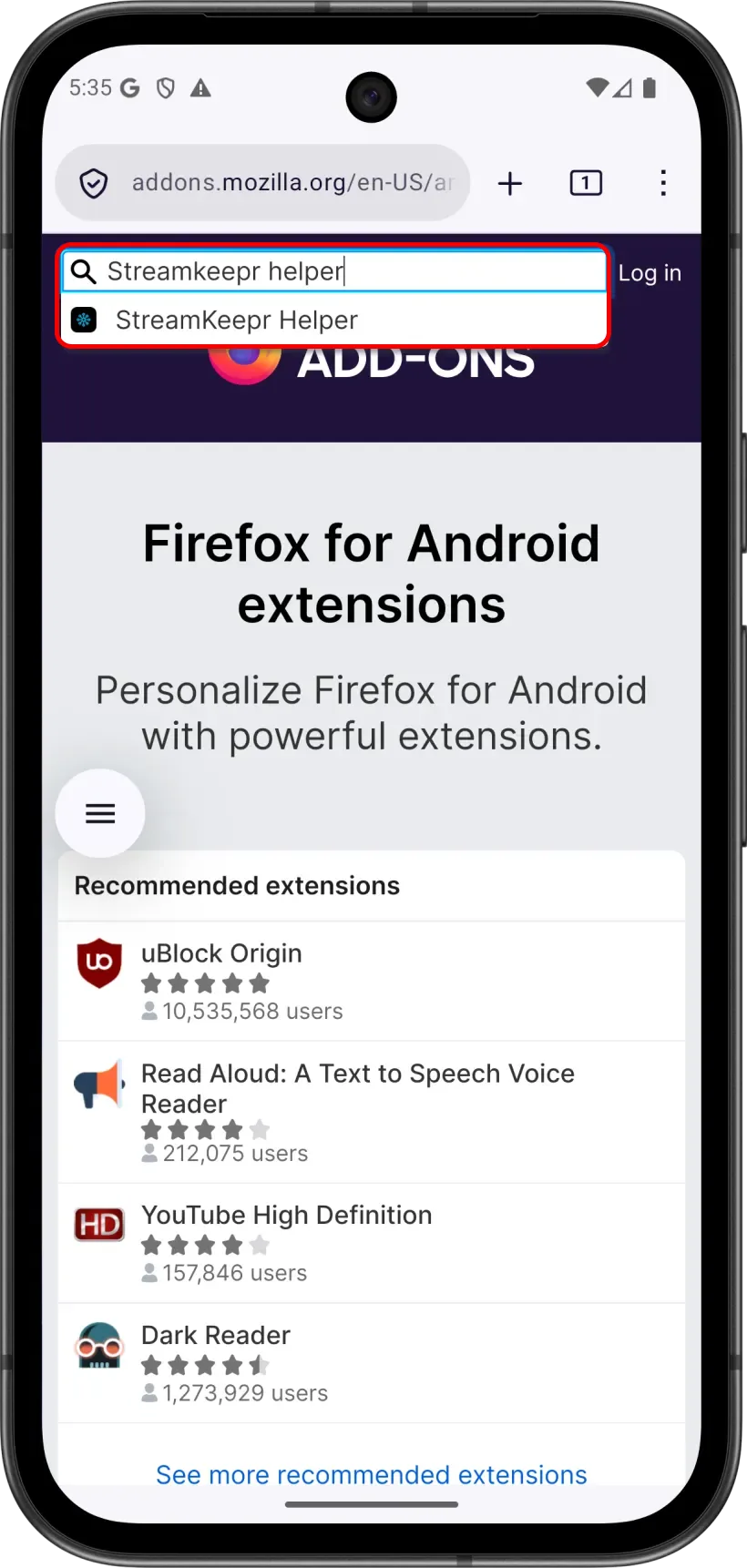
In the Find add-ons search box, type StreamKeepr Helper and open the result.
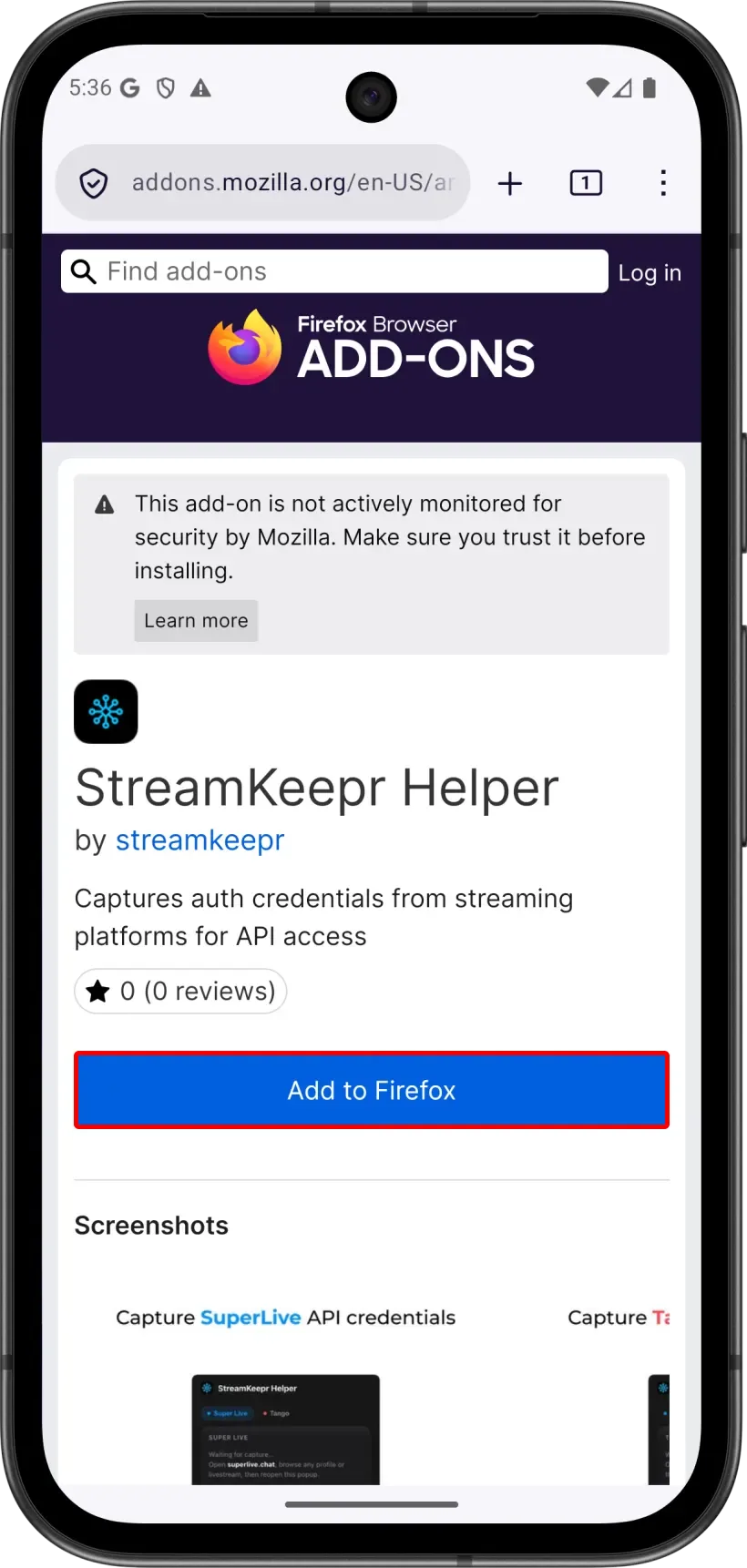
On the add-on page, tap Add to Firefox.
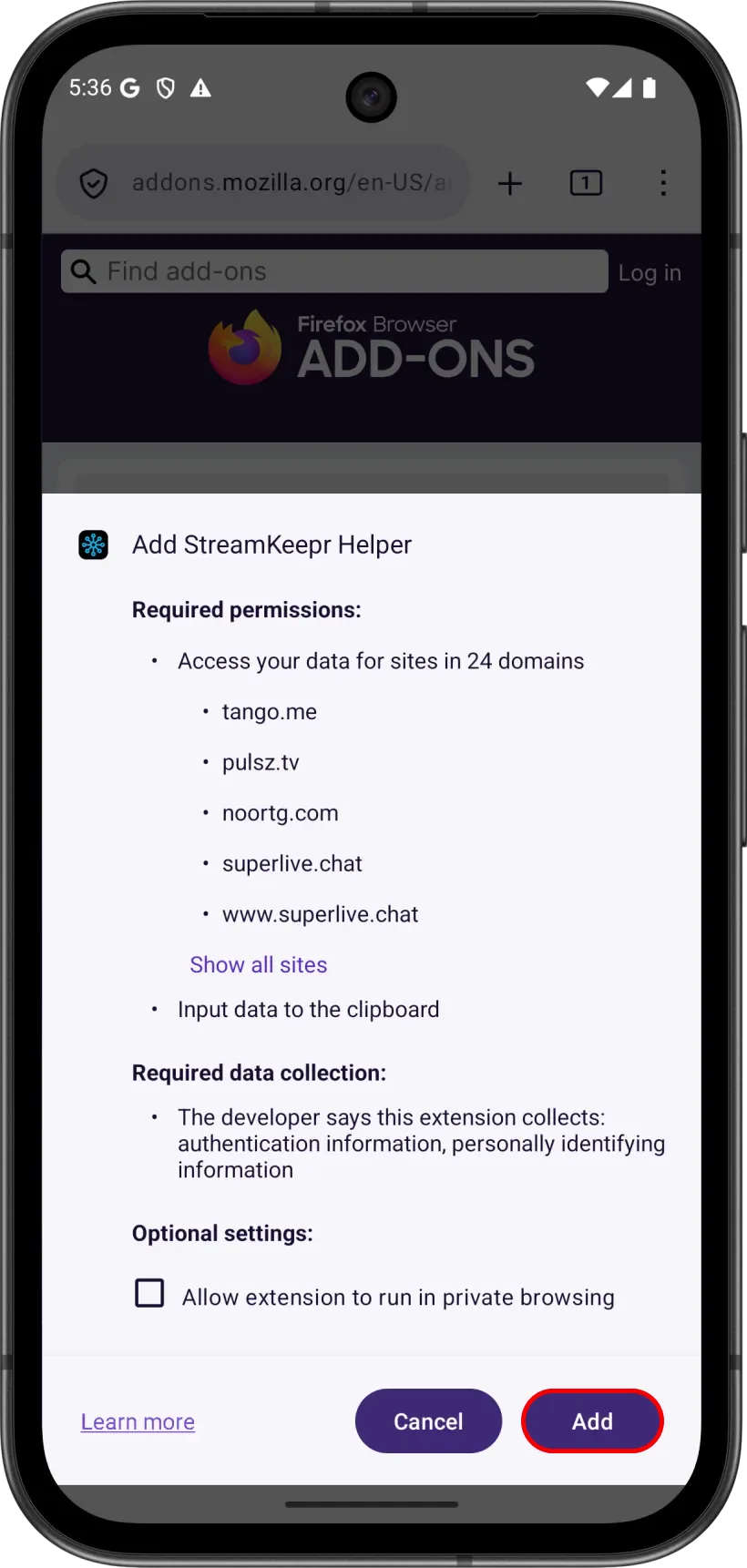
Review the permissions - the add-on needs access to the SuperLive domains and to your clipboard - then tap Add.
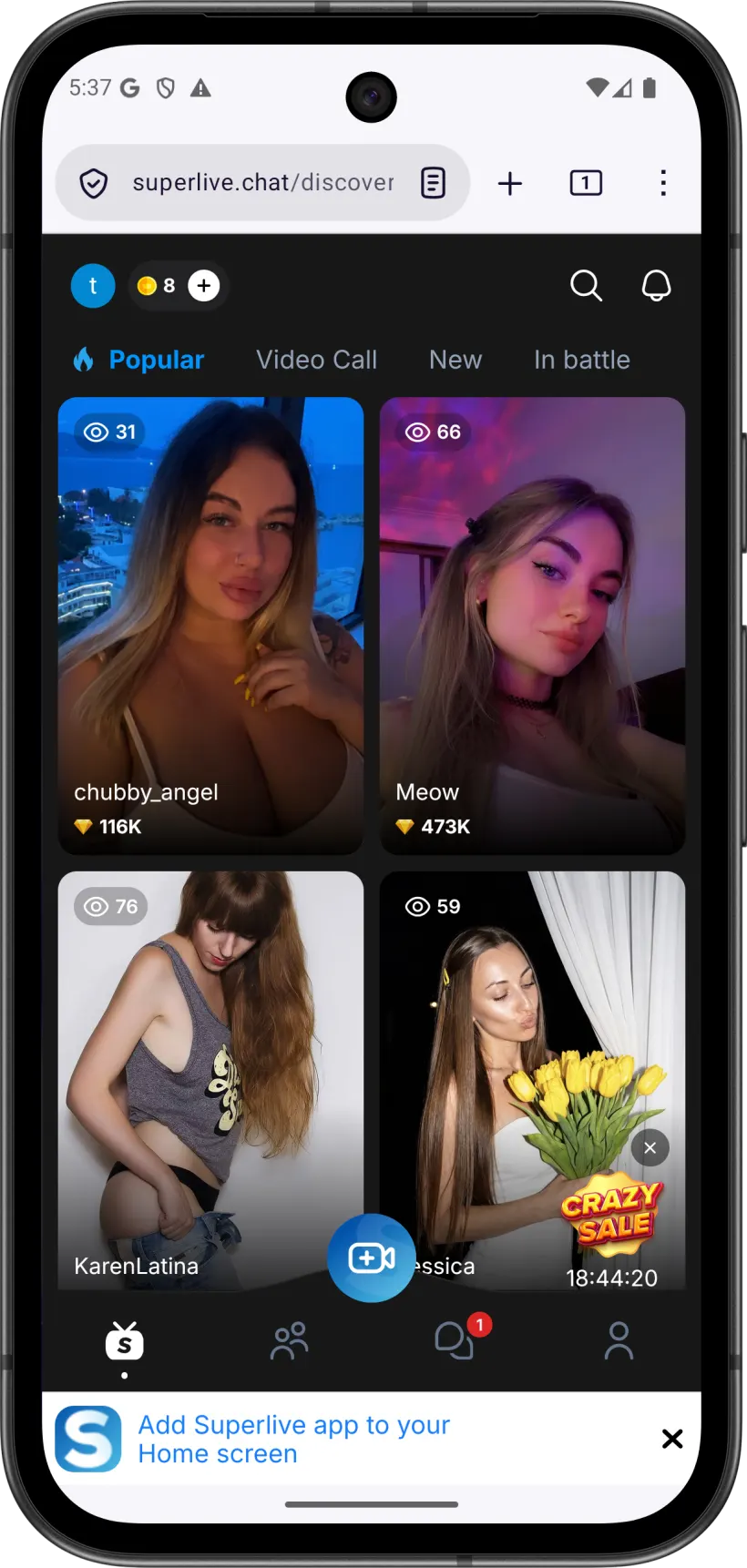
Open a SuperLive site - superlive.chat, liveflamingo.com, monkeylive.chat or any of the others - log in, and open a live broadcast so it plays for a few seconds.
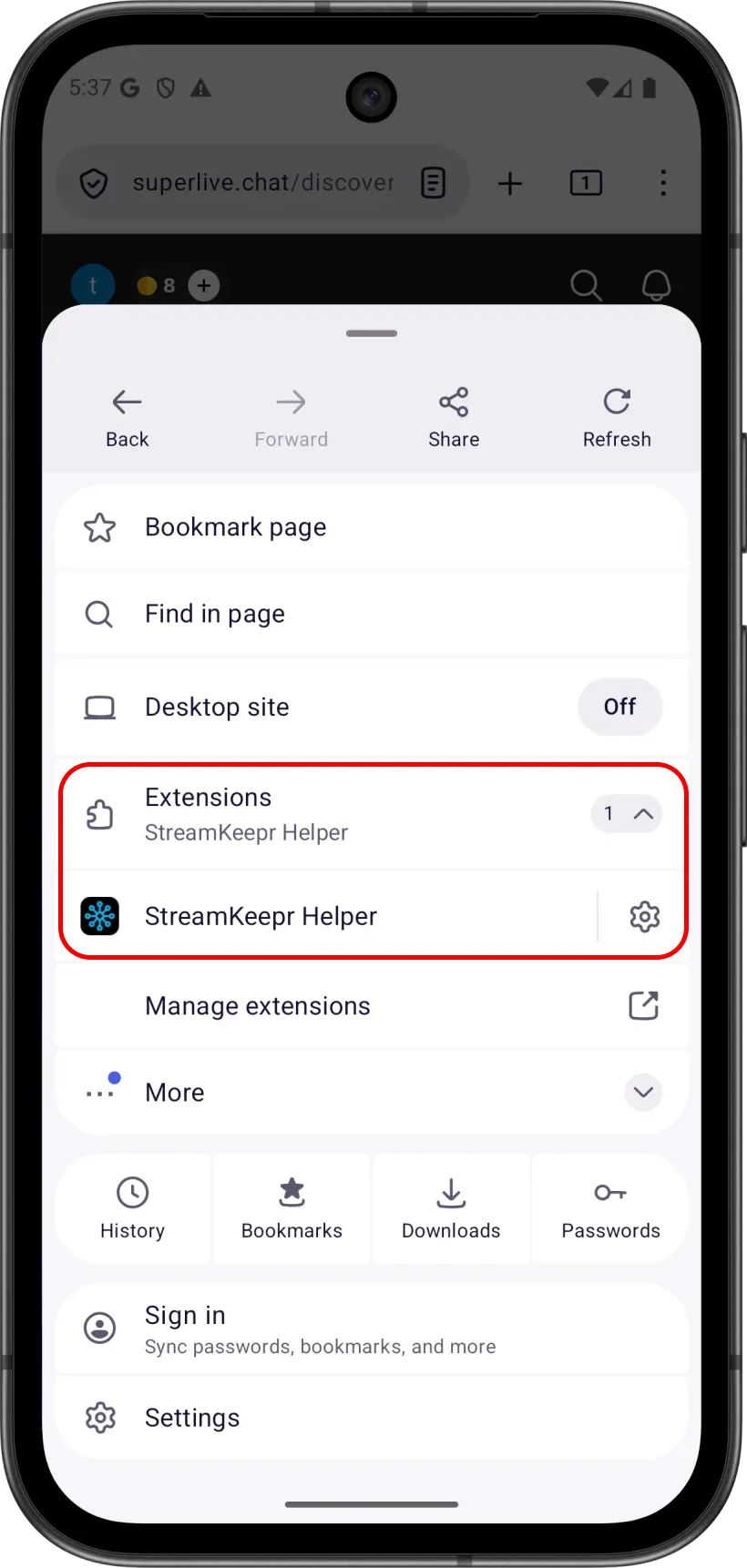
Tap the ⋮ menu → Extensions → StreamKeepr Helper.
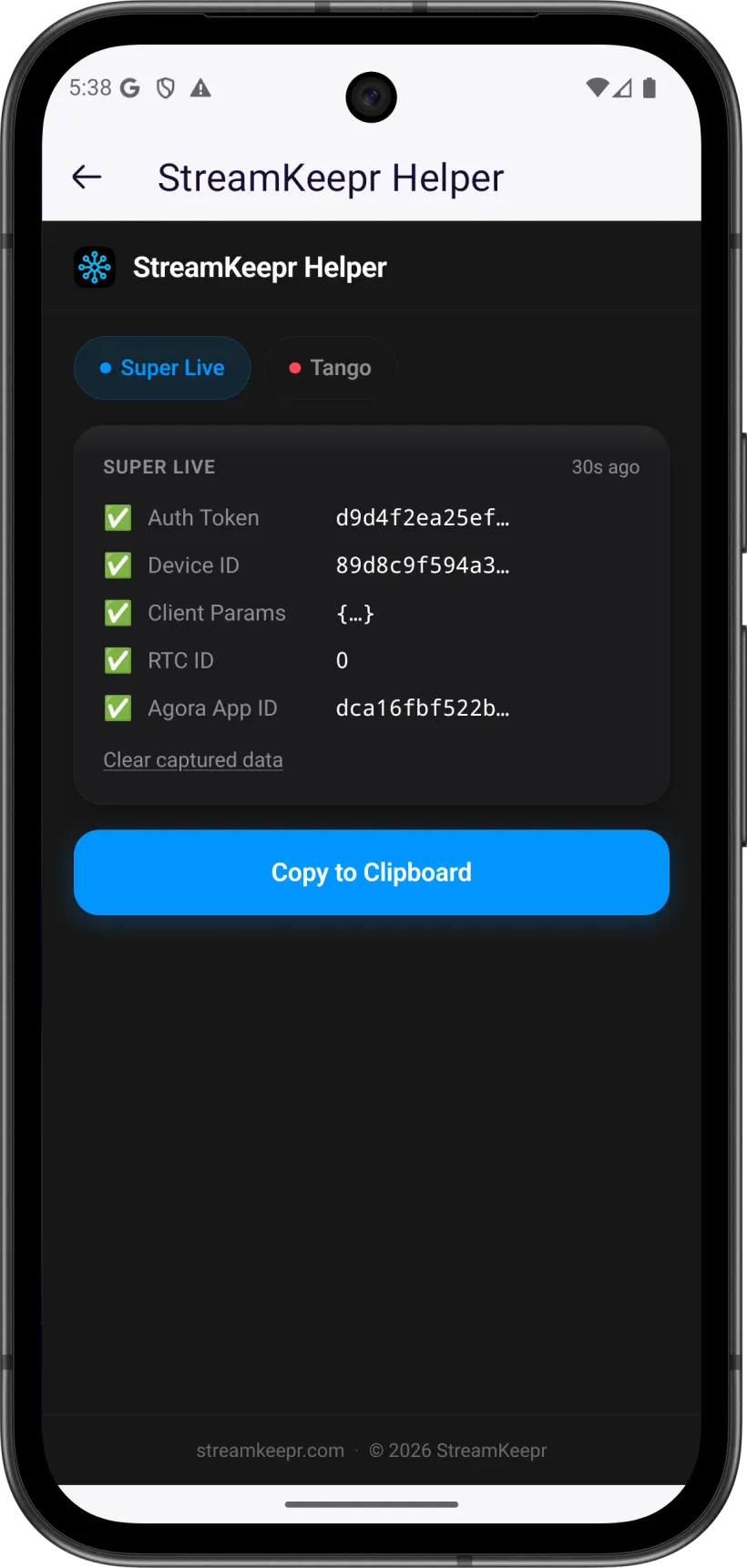
On the Super Live tab, wait for five green checks - Auth Token, Device ID, Client Params, RTC ID and Agora App ID - then tap Copy to Clipboard.
Open @TngRecordsBot in Telegram and paste the bundle into Settings → Cookies → SuperLive Cookie. That is it - the credential is saved to your account and you can start recording.
If the Extension Shows No Data
An empty popup, or fewer than five green checks, almost always means the add-on has not seen the right requests yet. Make sure a broadcast is actually playing - some of the values (RTC ID, Agora App ID) only appear once a live stream starts, not from browsing the site. Check that the popup is on the Super Live tab, since each platform is captured separately. If the values look stale, press Clear captured data, reload the broadcast page and reopen the popup. And if you log out of SuperLive or the session expires, the saved cookie stops working - repeat these steps and paste the fresh bundle over the old one.
Next Steps
With the cookie saved, Record SuperLive Streams — LiveFlamingo, MonkeyLive & More covers what to do with it: every supported domain, recording by link, and how Following auto-records a SuperLive streamer the moment they go live. Prefer a computer? Obtaining SuperLive Cookie on PC/Mac walks through the desktop Chrome version. If recording is still refused after pasting the cookie, the plan is the usual reason - see Tango Live Recorder Plans, Tokens & Recording Slots.
FAQ
- Do I really not need a PC for this?
- Right. Firefox for Android supports extensions, so StreamKeepr Helper installs and captures the SuperLive Cookie entirely on your phone. A PC or Mac is only needed if you prefer Chrome, which cannot install extensions on mobile.
- Why Firefox and not Chrome on Android?
- Chrome for Android does not support extensions at all, and neither does any browser on iOS. Firefox for Android is the one mobile browser that installs add-ons from addons.mozilla.org, which is where StreamKeepr Helper is published.
- What exactly does the extension capture?
- Five values from your logged-in SuperLive session: the Auth Token, Device ID, Client Params, RTC ID and Agora App ID. Copy to Clipboard puts all five into your clipboard as JSON, which is exactly what you paste into the bot.
- Does the SuperLive Cookie expire?
- Yes. It is a session credential, so logging out of SuperLive or letting the session lapse invalidates it and recordings start failing. Repeat the steps in this guide and paste the new bundle over the old one in Settings → Cookies.